Find variances. Trace causes.
AI AGENT FOR NETSUITE · INVENTORY AGENT
The count tells you where there’s a variance. The Inventory Agent tells you why. Ask in plain English, and the agent checks the shipments, receipts and transfers behind every number, so finance, procurement and the warehouse can trust the same figure. ‍
  • Top variances by cost, ranked in seconds 
  • The transactions behind each variance, traced for you
  • A clear call: approve, hold or recount Plain-English answers on what’s waiting and why
    ‍
Talk to an expert
Book a personalized 30-minute session with one of our experts!
Button arrow arrow right white
NetSuite
Solution
Finder
RAPSODOHAKLUYTHAKLUYTHAKLUYTHAKLUYTHAKLUYT

Why Choose the Inventory Agent

  • Native to NetSuite, inside the Consolidated Counts Report 
  • Count on any phone, tablet or scanner, with no per-user licenses
  • Many people can count the same location at once
  • People approve every adjustment 
  • Says so when the evidence isn’t there, instead of guessing

How Inventory Agent works

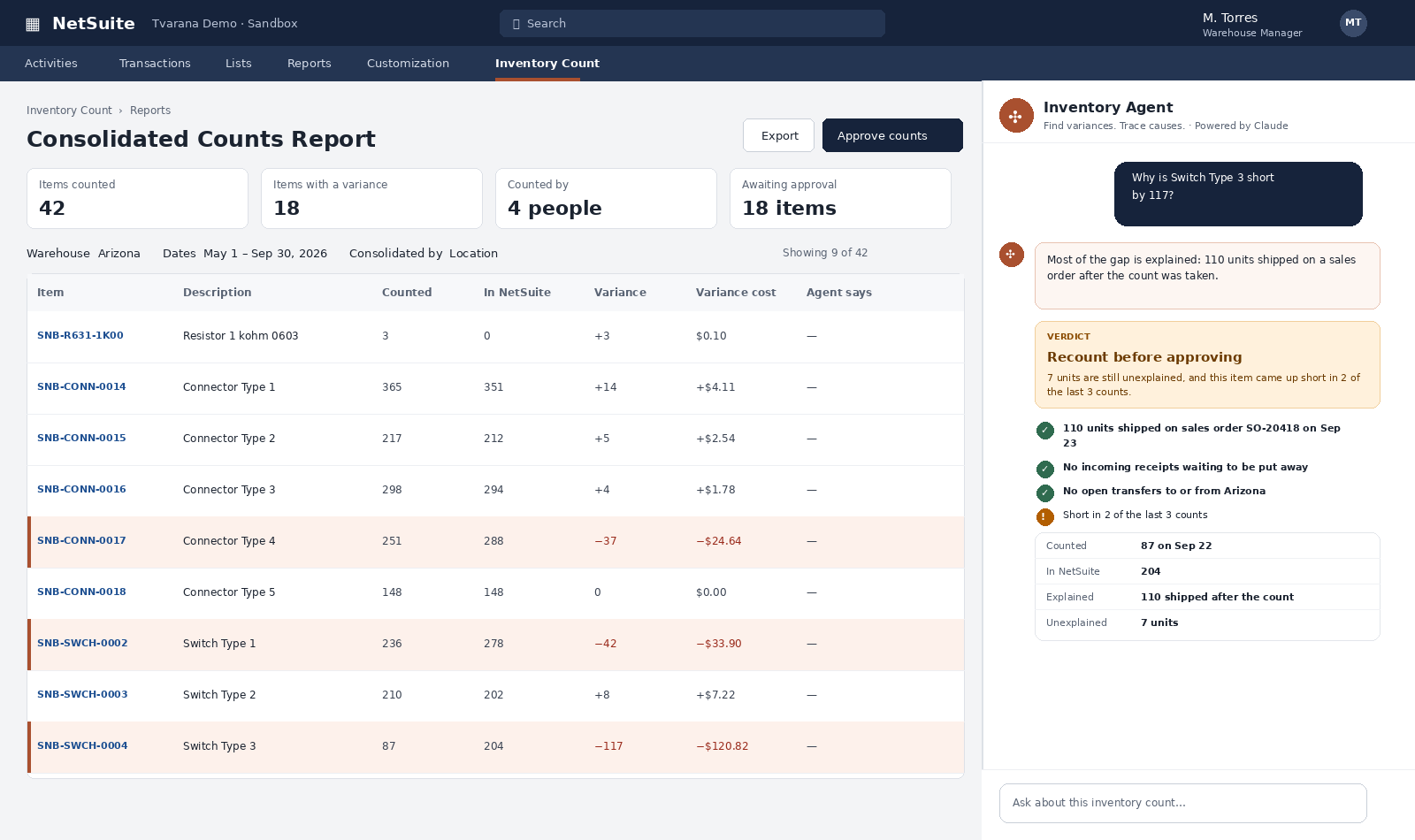
  • Find variances. Ask which items cost the most and get a ranked answer for the count you have open. No spreadsheet sorting. 

  • Trace causes. The agent checks shipments, receipts, transfers and past counts, right down to who counted the item and their shelf note. 

  • Get a verdict. Approve, hold or recount, with the reason spelled out. Your team makes the call. 

Ask it in plain English

  • “Show me the top 10 items with the highest variance cost.”
  • “Why does this item have a variance?”
  • “What were the last transactions for this item?”
  • “Which items did Priya scan?”

6 Key Features of INVENTORY AGENT

Ranked variances

See the items costing you the most first, for the exact count session you’ve filtered. 

Root-cause tracing

Checks stock movement after the count, open orders, incoming receipts and transfers. 

Variance history

Shows whether an item has been off before, so recurring problems stand out.

Clear verdicts

Approve, hold for review, recount or flag as recurring, each with its reason. 

Honest answers

If a record doesn’t exist, the agent says so. Asked for three transactions when there was one, it says there was one. 

Built on Inventory Count

Scheduled cycle counts, mobile scanning and live counts feeding NetSuite. 
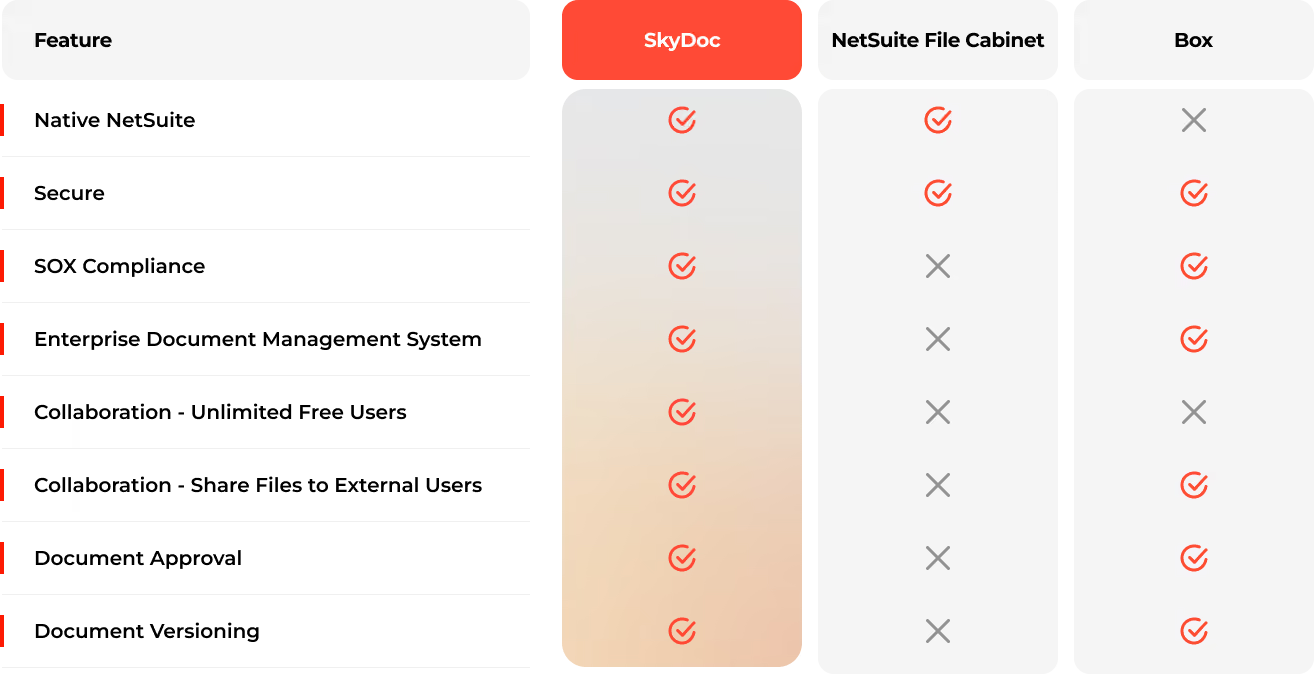
Without vs With the Inventory Agent

Feature Without the Agent With the Inventory Agent
Finding big variances Sorting spreadsheets Ranked by cost on request
Working out why Hours across screens Transactions traced in seconds
Decision Gut feel or full recount Approve, hold or recount, with the reason
Recurring problems Spotted by memory Flagged from variance history
Who trusts the number The warehouse, maybe Finance, procurement and the warehouse

See Inventory Agent at work

oracle netsuite
See what matters first. Ask which items cost the most, and get a ranked answer for the count you have open. 
oracle netsuite
Ask why, get a verdict. The agent checks shipments, receipts, transfers and past counts, then says approve, hold or recount. 

Native to NetSuite. Not Bolted on.

~20 years of NetSuite expertise · ~100 NetSuite professionals · 10,000+ completed projects
  • Inside NetSuite. The agent works on your NetSuite records, so your team stays where it already works.
  • Your workflows. Results land as standard NetSuite records and go through your existing approvals.
  • Human in the loop. The agent finds, matches and recommends. Your people review and approve.
  • Within your permissions. Every agent only shows what the user is already allowed to see.

FAQs

Does the Inventory Agent make adjustments automatically? 

No. It investigates and recommends. A person approves anything that affects the books. 

Where does the Inventory Agent sit in NetSuite?

In a chat panel on the Consolidated Counts Report, after you filter to one count by location, bin, date or count plan. 

How much data access does AI / LLM have?

The AI / LLM only has access to the specific documents and data provided to it for processing, such as the invoice being read. It does not have access to your broader NetSuite account, records, transactions, reports, financial data, customer data, vendor master data, or any other NetSuite information.

What data can Inventory agent see?

Only what the user’s own NetSuite role allows, and only for the count session you’ve filtered. 

Do we need Inventory Count first? 

Yes. The agent is built on Inventory Count, which handles the counting itself on any device. 

What results do clients see? 

Clients improving inventory accuracy typically see 15-30% less excess stock, 10-25% fewer stockouts and 5-15% of inventory value freed up as cash. These are typical ranges, not guarantees. 

One inventory number everyone can trust. Let the Inventory Agent find out why the count is off. 
Fill out the form to get started
Get Started